Nureva Span Workspace
by Smart Presentations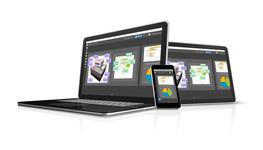
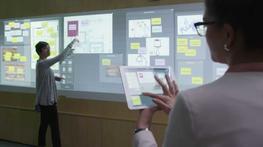
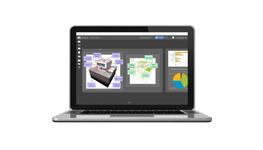
The Nureva Span visual collaboration system is made for people looking to do great things – together. Create ideas. Share them. Debate them. Strengthen them. It’s all done within an expansive, cloud-based canvas that can be accessed as easily on your Walls as from the device in your hand.
Collaborating with sticky notes works – but it can only take you so far. Get more from your agile, lean, design thinking and other processes with adaptable digital tools. Discover how Span Workspace can help your team
Create a canvas
Each canvas gives you up to 200′ (60.96 m) of digital space to visualize ideas and plans. Because Span Workspace is cloud-based, you’ll always have your information at your fingertips.
Invite your team
Enable team members to collaborate with you in your canvas. You have the flexibility to give people the exact level of access they need – set their permission levels to view, contribute, edit or manage. Permissions can be adjusted over time and can differ from canvas to canvas, person to person.
Share content
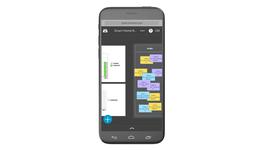
Everyone can type or write an idea or task on a note, or say more with a text box. Insert an image – perhaps a screen shot of an interface – and annotate over it. Or sketch out a wireframe. All contributions can be made from any device and appear in real time. You can even share your screen right on the canvas – and more than one shared screen can be seen at once.
Organize everything
Create intelligent groups and drag items in or out. For more complex ideas, add as many subgroups as you need. Make your groups work for you – resize their borders and hide or show names. You can even set them up so any note added to a group will turn a certain color.
Import templates
Create new templates in your canvas or convert your paper-based templates into easy-to-use digital tools. It’s simple to upload an image of a Kanban board, empathy map or retrospective chart and turn it into an intelligent group. Processes become faster and easier, and all your data stays organized when you export it.
Get quick input
Turn on QuickShare – in an instant, anyone with a device can add notes and images to a canvas. No Span subscription is required.
Access anywhere
Say goodbye to locked-down rooms, missed meetings and the fly-on-the-wall remote experience. Simply join a stand-up meeting or strategy session from wherever you are – you can then follow a leader through the canvas or explore on your own. Collaboration can be your team’s engine, whether you’re all logged into Span Workspace at the same time or working together asynchronously by contributing to a canvas at any time.
Manage the details
Keep all your information in one cloud-based location. Every team member can tag and archive canvases so nothing gets lost. You can also duplicate canvases or create versions, making it easy to access earlier plans and track progress. When it’s time to share data with others, it’s easy to export a canvas as an Excel® spreadsheet or PDF file.
Specification Details for Nureva Span Workspace (Security Control Systems)
Please note that these product properties are not a replacement for the manufacturer's literature and it is always recommended that Smart Presentations is consulted before specifying.
 Other
Other
|
||
| Uniclass (?) | Pr_75_75 Communications control products | |
File Downloads for Nureva Span Workspace
Similar Security Control Systems Products

Contact

Contact
Contact